
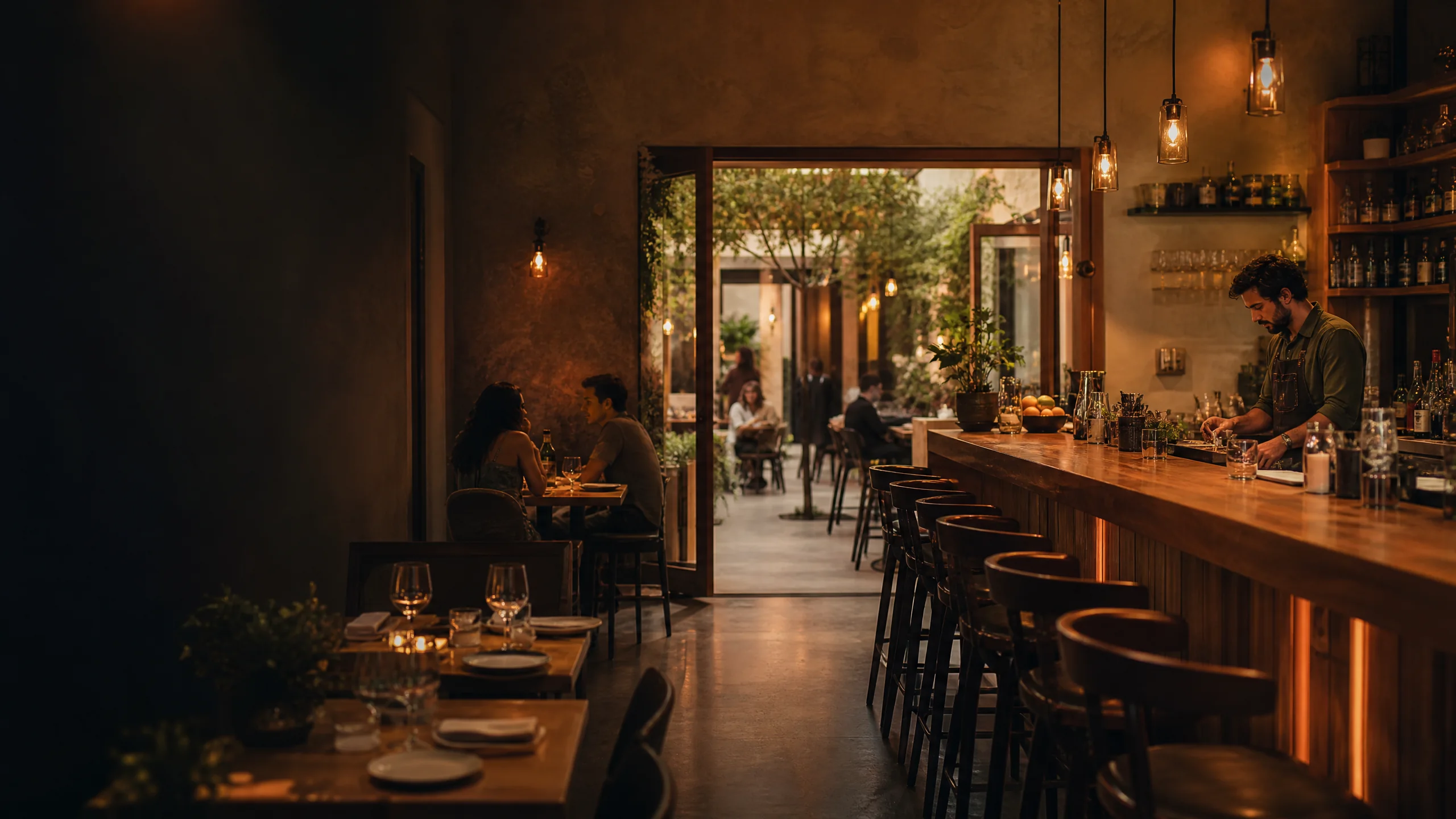
That minute is where your restaurant website does its job. People aren't there to read your story or admire a fancy animation. They want three things fast: what you serve, when you're open, and how to eat there or order.
Around the Temecula Valley, there's no shortage of options. The Old Town Temecula Association's dining directory alone lists a long run of restaurants, and that's before you count Murrieta, Menifee, Wine Country, and everywhere in between. When someone is comparing spots on their phone, the place that answers their questions quickest usually gets the visit.
Here's what to get right.
Put the menu front and center
Make it a real web page, not just a PDF
A lot of restaurants upload a scanned PDF of the printed menu and call it done. It works, sort of, but it's a pain on a phone. People have to pinch and zoom, it can be slow to load, and Google has a harder time reading it.
A menu built as a normal web page is easier for everyone:
- It reads cleanly on any screen size
- It loads faster
- Search engines can read the dish names, so someone searching for "birria tacos" or "gluten-free pizza" near you has a better shot at finding you
- You can update a price or swap a special in a couple of minutes
If you love your designed PDF menu, keep it as a download link too. Just don't make it the only option.
Keep it current
Nothing frustrates a customer more than driving over for a dish that came off the menu months ago, or seeing a price that changed. Pick one person who owns menu updates and make it part of the routine whenever the printed menu changes.
Call out what people filter by
If you have vegetarian, vegan, gluten-free, or kid-friendly options, label them. Same for happy hour, brunch hours, or a weekly special. These are the things people search for and the things that tip a group decision your way.
Hours, location, and contact info on every page
This sounds obvious, but it's one of the most common gaps we see. Your website should make these easy to find from any page, especially on a phone:
- Hours, including holiday hours and any days you're closed
- Address with a link that opens in Google Maps
- Phone number that's tappable to call
- Parking notes, if parking is tricky (in a busy area, a one-line tip saves people real frustration)
And make sure these match your Google Business Profile exactly. If your website says you close at 9 and Google says 10, someone is going to show up to locked doors and leave a grumpy review.
Make ordering and reservations easy
Link straight to the action
If you take online orders, reservations, or catering requests, put a clear button for each near the top of the homepage. "Order Online," "Book a Table," and "Catering" are clearer than clever wording.
If you use a third-party ordering or reservation service, that's fine. Link directly to your page on it, not to the service's homepage where people have to search for you again.
Think about direct ordering
Delivery apps bring in customers, but they also take a cut. Some restaurants add a direct ordering option on their own website so regulars can order without the middleman. Whether that makes sense depends on your setup and how much you rely on delivery. It's worth asking about when you're planning your site.
Don't forget catering and private events
Catering, private rooms, and large-party bookings can be some of your best business. Give them their own page with what you offer, rough group sizes you can handle, and a simple inquiry form. A wedding planner or office manager shouldn't have to call just to find out if you cater at all.
Photos that make people hungry
You don't need a professional food shoot to start, but you do need real photos of your real food and space. A few tips:
- Shoot in natural light near a window
- Show your most popular dishes, not everything at once
- Include a couple of shots of the dining room or patio so people know the vibe
- Skip stock photos. Customers can tell, and it makes them wonder what you're hiding.
Keep image file sizes reasonable. Big, uncompressed photos are one of the main reasons restaurant sites load slowly on phones. We cover this more in website speed for small businesses.
Getting found on Google
Your Google Business Profile does a lot of the work
For restaurants, your Google Business Profile is often the first thing people see, sometimes before your website. Keep it updated with hours, photos, and links to your menu and ordering pages. Then make your website back it up with the same details.
Help Google understand your site
A few basics go a long way:
- Mention your city and neighborhood naturally on your homepage and contact page (for example, "in Old Town Temecula" or "off Clinton Keith in Murrieta," wherever you actually are)
- Use clear page titles like "Menu" and "Catering" instead of vague ones
- Add restaurant details in structured data (schema) so search engines can read your hours, address, and cuisine type
Our local SEO website checklist walks through more of these in plain language.
Reviews
Good reviews matter a lot in restaurant decisions. Showing a few on your site can help, as long as it doesn't slow the page down. If you want to add them, we wrote a short guide on showing Google reviews on your website.
Common restaurant website mistakes
- Menu only as a giant PDF. Hard to read on a phone and hard for Google to understand.
- Out-of-date hours. Especially around holidays.
- Autoplay music or video. Most people browse in public or at work. Let them choose.
- Ordering buttons buried at the bottom. Put them up top.
- No mobile check. Pull your site up on your own phone, standing in your own parking lot, and try to find the menu and hours. If it's annoying for you, it's annoying for customers.
If your site has a few of these, it might be time for a refresh. Here are some other signs it's time for a website redesign.
What does a restaurant website cost?
It depends on what you need. A simple site with a menu, hours, photos, and links to your ordering and reservation tools is a fairly straightforward build. Custom ordering systems or multiple locations add more. For a rough idea of how pricing works, see our breakdown of what a small business website costs.
Let's get your menu in front of more hungry people
Agentive Industries builds websites for local businesses across the Temecula Valley and the Inland Empire, including restaurants, cafés, and breweries. We'll help you set up a menu that's easy to read and update, make ordering and reservations simple, and keep your site in sync with Google.
Take a look at our Temecula web design and Murrieta web design pages, or see how a project works on our process page.
Ready to talk? Call us at (951) 987-3284 (Monday to Friday, 9 to 5) or send us a message.
We can make the next step clear.
Tell us what you have now and what you would like to improve. We will reply in plain language.
Talk with Agentive